Understanding Common Computer Issues and Solutions
- Philip Moore
- 19 hours ago
- 4 min read

In today's digital age, computers are integral to our daily lives, whether for work, education, or leisure. However, they can sometimes be a source of frustration when issues arise. Understanding common computer problems and their solutions can save you time, money, and stress. This guide will explore frequent computer issues, practical solutions, and tips to prevent future problems.
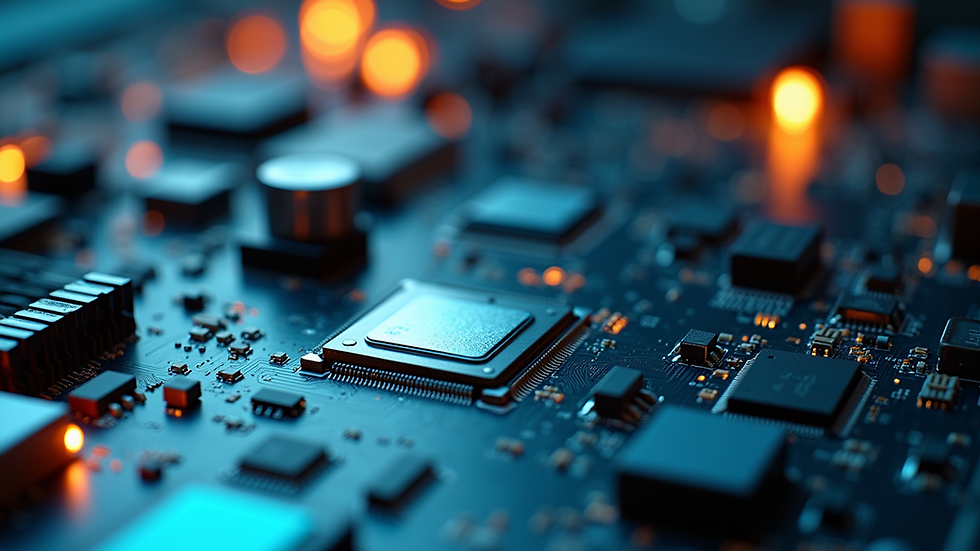
Common Computer Issues
Slow Performance
One of the most common complaints among computer users is slow performance. This can manifest in various ways, such as long boot times, sluggish application launches, and delayed responses to commands.
Causes of Slow Performance:
Too Many Background Programs: Many applications run in the background, consuming system resources.
Insufficient RAM: If your computer doesn't have enough RAM, it can struggle to handle multiple tasks.
Fragmented Hard Drive: Over time, files can become fragmented, making it harder for the system to access them quickly.
Solutions:
Close Unnecessary Programs: Regularly check your task manager and close any applications you don’t need.
Upgrade RAM: If your computer allows it, consider upgrading your RAM to improve multitasking capabilities.
Defragment Your Hard Drive: Use built-in tools to defragment your hard drive, which can improve access times.
Frequent Crashes
Experiencing frequent crashes can be alarming and disruptive. This issue can occur due to software conflicts, hardware failures, or overheating.
Causes of Crashes:
Software Conflicts: Incompatible software can cause instability.
Hardware Issues: Failing components, such as a hard drive or power supply, can lead to crashes.
Overheating: Dust buildup can block airflow, causing components to overheat.
Solutions:
Update Software: Ensure all your software, including the operating system, is up to date.
Check Hardware: Run diagnostics to check for failing hardware components.
Clean Your Computer: Regularly clean dust from vents and fans to improve airflow.
Connectivity Problems
Connectivity issues can prevent you from accessing the internet or connecting to other devices. This can be particularly frustrating when you need to work or communicate.
Causes of Connectivity Problems:
Router Issues: Problems with your router can affect your internet connection.
Driver Issues: Outdated or corrupted network drivers can cause connectivity problems.
Interference: Other electronic devices can interfere with your Wi-Fi signal.
Solutions:
Restart Your Router: A simple restart can often resolve connectivity issues.
Update Network Drivers: Check for updates to your network drivers and install them.
Reduce Interference: Keep your router away from other electronic devices and consider using a wired connection for stability.
Virus and Malware Infections
Viruses and malware can severely impact your computer's performance and security. They can steal personal information, corrupt files, and cause system instability.
Causes of Infections:
Downloading Untrusted Software: Installing software from unknown sources can introduce malware.
Clicking Suspicious Links: Phishing attempts can lead to malware infections.
Solutions:
Install Antivirus Software: Use reputable antivirus software to scan and remove threats.
Keep Software Updated: Regularly update your operating system and applications to patch vulnerabilities.
Practice Safe Browsing: Avoid clicking on suspicious links and only download software from trusted sources.
Hardware Failures
Hardware failures can manifest in various ways, from a computer that won't turn on to a malfunctioning keyboard. Identifying the specific issue can help you determine the best course of action.
Common Hardware Failures:
Hard Drive Failure: Symptoms include strange noises, slow performance, and data loss.
Power Supply Issues: If your computer won't turn on, the power supply may be faulty.
Peripheral Failures: Keyboards, mice, and monitors can also fail.
Solutions:
Backup Your Data: Regularly back up important files to prevent data loss in case of hardware failure.
Replace Faulty Components: If you identify a specific failing component, consider replacing it.
Seek Professional Help: If you're unsure about diagnosing hardware issues, consult a professional technician.
Preventive Measures
Regular Maintenance
Regular maintenance can help prevent many common computer issues. Here are some essential maintenance tasks:
Update Software Regularly: Keep your operating system and applications up to date to protect against vulnerabilities.
Run Disk Cleanup: Use built-in tools to remove unnecessary files and free up space.
Check for Hardware Issues: Periodically run diagnostics to identify potential hardware problems before they escalate.
Safe Browsing Habits
Practicing safe browsing habits can significantly reduce the risk of malware infections and other issues:
Use Strong Passwords: Create complex passwords and change them regularly.
Be Cautious with Downloads: Only download files from trusted sources and scan them for viruses before opening.
Avoid Public Wi-Fi for Sensitive Transactions: Use a VPN if you must access sensitive information over public networks.
Backup Your Data
Regularly backing up your data is crucial in case of hardware failure or malware infections. Consider the following backup options:
External Hard Drives: Use an external hard drive to store backups of important files.
Cloud Storage: Services like Google Drive or Dropbox can provide secure cloud storage for your files.
Automated Backup Solutions: Set up automated backups to ensure your data is regularly saved without manual intervention.
Conclusion
Understanding common computer issues and their solutions can empower you to tackle problems effectively and maintain your system's performance. By practicing regular maintenance, safe browsing habits, and data backups, you can prevent many issues before they arise. Remember, when in doubt, don't hesitate to seek professional help. Keeping your computer in good shape not only enhances your productivity but also ensures a smoother digital experience.


Comments